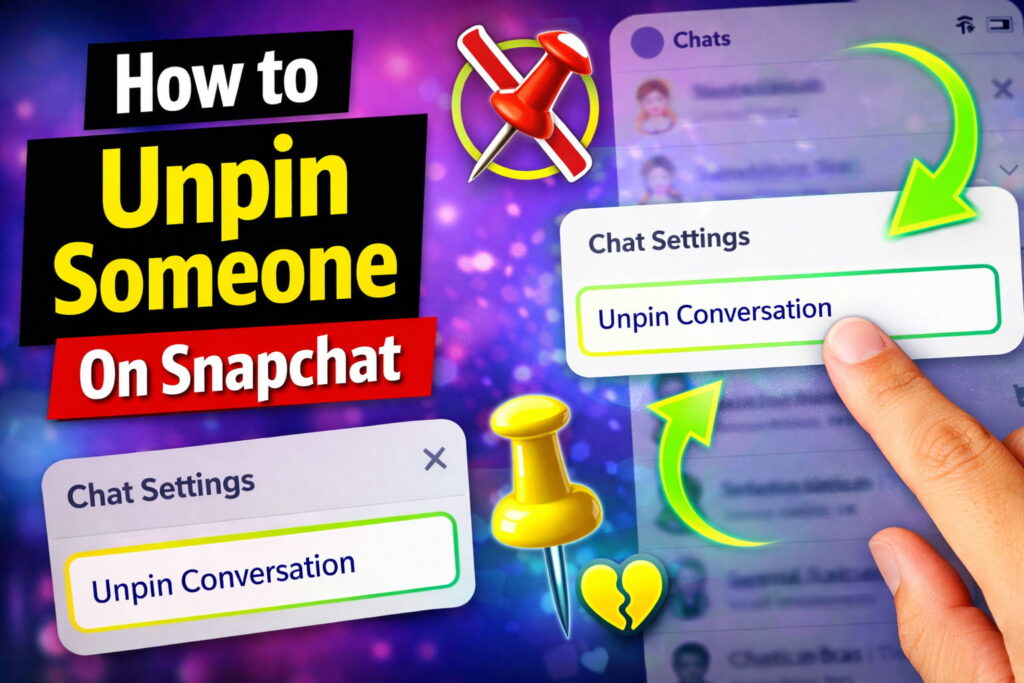
How to Unpin Someone on Snapchat 📌👻
A Complete Step-by-Step Guide for Beginners
How to Unpin Someone On Snapchat: is one of the most popular social media apps used by millions of people every day to send snaps, chat with friends, and share stories. One useful feature on Snapchat is the “Pin Conversation” option. This feature allows you to keep an important chat at the top of your chat list so you can access it quickly.
However, sometimes you may want to remove or unpin someone from the top of your Snapchat chat list. Maybe the conversation is no longer important, or you simply want to organize your chats better.
If you are wondering how to unpin someone on Snapchat, this guide will explain everything in a simple and easy-to-understand way. By the end of this article, you will know exactly how to unpin chats and manage your Snapchat conversations like a pro.
What Does “Pin Someone on Snapchat” Mean? 📌
Before learning how to unpin someone, it is important to understand what pinning a conversation means.
When you pin someone on Snapchat:
- Their chat stays at the top of your chat list
- Even if new messages arrive from other friends, the pinned chat remains first
- It helps you quickly access conversations with important friends
Snapchat allows you to pin up to three conversations at a time.
This feature is helpful if you frequently chat with certain people and don’t want to scroll through your entire chat list to find them.
Why Would You Want to Unpin Someone on Snapchat? 🤔
There are many reasons why someone may want to unpin a conversation.
Some common reasons include:
1. Cleaning Up Your Chat List
Over time, your pinned chats may no longer be relevant.
2. Changing Priority
Maybe you pinned someone earlier, but now you want to pin another friend instead.
3. Organizing Conversations
Unpinning chats helps keep your chat list organized.
4. Privacy Reasons
Sometimes users prefer not to keep certain chats pinned on their device.
No matter the reason, unpinning someone on Snapchat only takes a few seconds.
How to Unpin Someone on Snapchat (Step-by-Step) 📱
Follow these simple steps to remove a pinned conversation.
Step 1: Open Snapchat
First, open the Snapchat app on your smartphone and log in to your account.
Step 2: Go to the Chat Screen
Swipe right from the camera screen or tap the Chat icon at the bottom of the screen.
This will open your chat list.
Step 3: Find the Pinned Conversation
Pinned chats usually appear at the top of the chat list and have a pin icon 📌 next to them.
Locate the chat you want to unpin.
Step 4: Press and Hold the Chat
Tap and hold the conversation for a few seconds.
A menu will appear with several options.
Step 5: Tap “Chat Settings”
From the menu, select Chat Settings.
Step 6: Select “Unpin Conversation”
Tap Unpin Conversation.
Once you do this, the chat will move back to its normal position in the chat list.
That’s it! The conversation is now unpinned.
Another Way to Unpin Someone on Snapchat 🔄
In some versions of Snapchat, the process may be slightly different.
You may see the option directly.
Steps:
- Open Snapchat
- Go to chats
- Tap and hold the pinned chat
- Tap Unpin Conversation
The process takes less than 5 seconds.
How to Pin Someone Again on Snapchat 📌
If you accidentally unpinned someone or want to pin them again, you can easily do it.
Steps:
- Open Snapchat
- Go to the chat screen
- Tap and hold the conversation
- Tap Chat Settings
- Select Pin Conversation
The chat will immediately move to the top.
Snapchat Pin Limit: How Many People Can You Pin? 👥
Snapchat allows users to pin up to three conversations.
This means:
- You can only have 3 pinned chats
- If you want to pin someone else, you must unpin an existing chat
This limit helps keep the feature organized and prevents the chat list from becoming cluttered.
How to Change the Pin Icon on Snapchat 🎨
Many users like customizing their pinned chats.
Snapchat allows you to change the pin emoji.
Steps to change the pin icon:
- Open Snapchat
- Tap your profile icon
- Tap the Settings icon
- Scroll down to Manage
- Tap Friend Emojis
- Select Pinned Conversation
You can choose a different emoji instead of the default 📌.
This makes your chats look more personalized.
Benefits of Pinning Conversations on Snapchat ⭐
Pinning chats is a simple feature, but it offers many advantages.
Quick Access
You can quickly open conversations with your most important friends.
Better Organization
Pinned chats help organize your conversations.
Avoid Missing Messages
Important chats stay visible at the top.
Time Saving
You don’t need to scroll through long chat lists.
Tips for Managing Snapchat Chats Better 💡
If you use Snapchat frequently, managing chats properly can improve your experience.
Here are some helpful tips.
1. Pin Important Contacts
Pin people you chat with every day.
2. Clear Old Conversations
Remove chats that are no longer needed.
3. Mute Notifications
Mute chats that send too many messages.
4. Keep Chat List Organized
Unpin chats when they are no longer important.
Common Problems When Unpinning Someone on Snapchat ⚠️
Sometimes users face small issues when trying to unpin chats.
Here are some possible problems.
App Not Updated
If the option does not appear, update your Snapchat app.
App Glitches
Restarting the app can fix minor issues.
Internet Problems
Make sure you have a stable internet connection.
FAQ: How to Unpin Someone on Snapchat ❓
Does the other person know if I unpin them?
No. Snapchat does not notify users when you pin or unpin their conversation.
Will unpinning delete the chat?
No. Unpinning only changes the chat position. Your messages remain the same.
Can I pin more than three people?
No. Snapchat currently allows only three pinned chats.
Can I unpin someone and pin them again later?
Yes. You can pin or unpin conversations anytime.
Does unpinning remove someone from my friend list?
No. Unpinning only affects the chat order. It does not remove the friend.
Conclusion 🎯
The pin conversation feature on Snapchat is a useful tool for keeping important chats at the top of your chat list. However, there may be times when you want to remove a pinned chat.
Learning how to unpin someone on Snapchat is very simple and takes only a few seconds.
Just remember these steps:
- Open Snapchat
- Go to the chat screen
- Tap and hold the conversation
- Select Chat Settings
- Tap Unpin Conversation
Once you do this, the chat will return to its normal position.
Managing pinned chats properly helps keep your Snapchat conversations organized and easy to navigate.