
How to Make a Instagram Story with Multiple Pictures
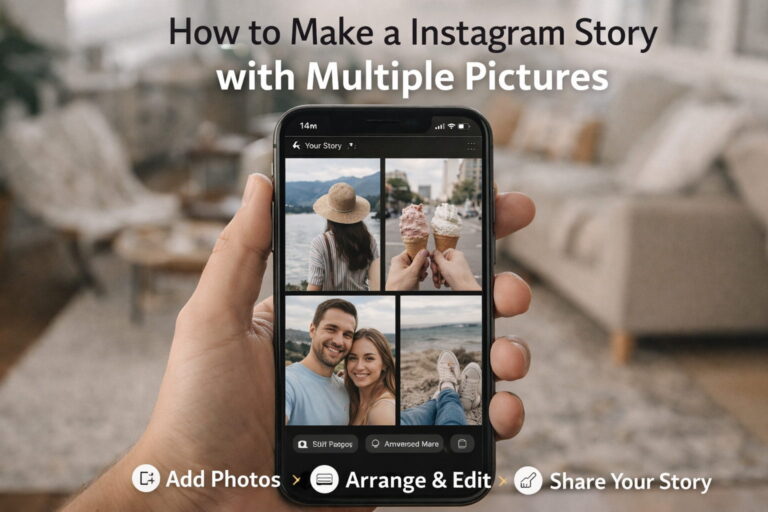
📱 HOW TO MAKE A INSTAGRAM STORY WITH MULTIPLE PICTURES (COMPLETE 2026 GUIDE)
Instagram Stories are one of the most powerful features for sharing moments, promoting businesses, and increasing engagement. But many people struggle when they want to add How to Make a Instagram Story with Multiple Pictures
If you’ve ever asked:
- How do I add multiple photos to one Story?
- How do influencers create collage-style Stories?
- How can I post multiple pictures without cropping?
- How do I make my Stories look professional?
This complete guide will show you every working method step-by-step in simple and easy language.
Platform: Instagram
Let’s get started 🚀
🤔 WHY ADD MULTIPLE PICTURES TO AN INSTAGRAM STORY?
Adding multiple photos in a Story helps you:
✔ Tell a better story
✔ Show before-and-after transformations
✔ Display product angles
✔ Share event highlights
✔ Increase viewer engagement
✔ Keep followers watching longer
If you are a content creator, business owner, or digital marketer, this feature is extremely powerful.
More visuals = More attention 📈
🟢 METHOD 1: USE INSTAGRAM’S BUILT-IN LAYOUT FEATURE (EASIEST METHOD)
Instagram already provides a built-in collage tool called Layout.
This is the fastest and simplest way to add multiple pictures in one Story.
Step-by-Step Instructions:
- Open Instagram
- Swipe right to open the Story camera
- On the left side menu, tap on “Layout”
- Choose your preferred grid style (2, 3, or 4 photos)
- Tap each grid section to add photos
- Adjust and post
That’s it! ✅
This method is perfect for quick collages.
🔵 METHOD 2: SELECT MULTIPLE PHOTOS FROM GALLERY (SEPARATE STORY SLIDES)
If you want to upload multiple photos but as separate slides, you can use the multiple selection option.
Steps:
- Open Story camera
- Swipe up to open your gallery
- Tap “Select Multiple” (top right corner)
- Choose multiple photos
- Tap Next and post
Each image will appear as a separate Story slide.
This method is ideal for:
- Birthday wishes 🎉
- Travel memories ✈️
- Event coverage 📸
- Step-by-step tutorials
🟣 METHOD 3: ADD MULTIPLE PHOTOS IN ONE STORY USING THE STICKER TOOL
This is the creative trick many influencers use.
Instead of a fixed grid, you can freely place images anywhere on the screen.
Steps:
- Open Story camera
- Choose a background image or color
- Tap the Sticker icon
- Select the “Photo” sticker
- Choose another image from gallery
- Resize and move it
- Repeat to add more photos
You can:
✔ Resize images
✔ Rotate them
✔ Place them anywhere
✔ Overlap them
This gives a very modern and aesthetic look ✨
🟡 METHOD 4: USE CANVA FOR PROFESSIONAL STORY DESIGN
If you want your Stories to look clean, branded, and professional, Canva is the best tool.
Tool: Canva
Steps:
- Open Canva
- Select “Instagram Story” (1080×1920)
- Choose a collage template
- Add multiple photos
- Customize text and design
- Download and upload to Instagram
This method is perfect for:
- Business promotions
- Educational content
- Product launches
- Personal branding
If you want consistency in design, Canva is highly recommended.
📐 BEST INSTAGRAM STORY SIZE (VERY IMPORTANT)
To avoid cropping or quality loss, always use:
📌 Size: 1080 x 1920 pixels
📌 Aspect Ratio: 9:16
Using the correct size ensures:
✔ No cropping
✔ Better clarity
✔ Professional appearance
🎨 CREATIVE STORY IDEAS USING MULTIPLE PICTURES
Here are some high-engagement ideas you can try:
📌 Before & After
Fitness transformation
Home renovation
Photo editing
📌 Step-by-Step Tutorial
Cooking recipe
Design process
Marketing tips
📌 Product Showcase
Front view
Side view
Close-up details
📌 Travel Highlights
Multiple locations in one frame
📌 Q&A Story
Question on one image
Answer on another
These formats increase watch time significantly 📈
🚀 PRO TIPS TO INCREASE ENGAGEMENT
Adding multiple pictures is just the beginning. To increase reach:
✔ Add location sticker
✔ Use hashtag sticker
✔ Add music
✔ Use poll or question sticker
✔ Keep text readable
Stories with interaction stickers perform much better.
❌ COMMON MISTAKES TO AVOID
Avoid these common errors:
❌ Adding too many photos (makes it messy)
❌ Using low-quality images
❌ Making images too small
❌ Overcrowding with text
❌ Ignoring safe zones (top & bottom cut areas)
Keep it clean and simple.
📊 WHICH METHOD IS BEST FOR YOU?
If you want:
👉 Quick and simple → Use Layout
👉 Separate slides → Use Select Multiple
👉 Creative design → Use Sticker trick
👉 Professional branding → Use Canva
Choose based on your goal.
❓ FREQUENTLY ASKED QUESTIONS
Q1: Can I add more than 4 photos in one Story?
Yes, using the sticker method you can add multiple images.
Q2: Why is my Story getting cropped?
Your image size may not match the 9:16 ratio.
Q3: Does Instagram reduce quality?
Yes, if the image resolution is low.
Q4: Is Canva free?
Yes, the free version is enough for Stories.
🎯 FINAL CONCLUSION
Now you clearly know:
✔ How to make an Instagram Story with multiple pictures
✔ 4 different working methods
✔ Best size and format
✔ Creative ideas
✔ Engagement tips
From now on, your Instagram Stories can look more professional, creative, and engaging.