Does Instagram Have Profile Views
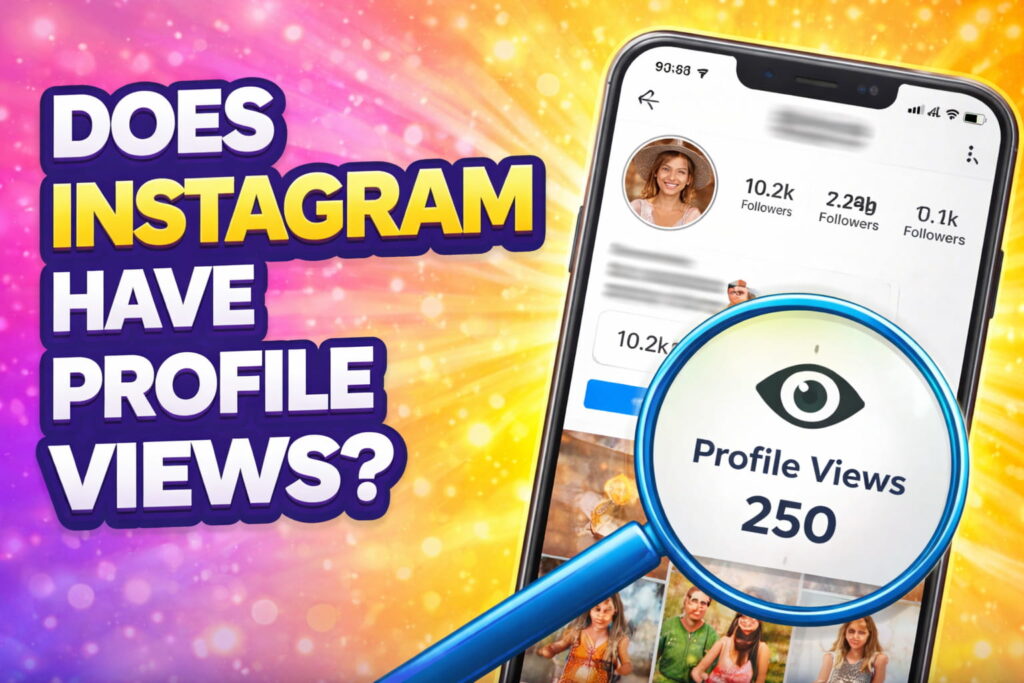
👀 Does Instagram Have Profile Views? (Complete Guide to Understanding Instagram Profile Visitors)
Does Instagram Have Profile Views: Social media platforms have become an important part of our daily lives. People use them to connect with friends, share memories, promote businesses, and discover new content. Among these platforms, Instagram is one of the most popular apps in the world.
Because millions of users interact on Instagram every day, many people become curious about one important question:
👉 Does Instagram have profile views?
👉 Can you see who viewed your Instagram profile?
It is normal to wonder who is visiting your profile. Sometimes you might notice someone liking your posts frequently or watching your stories quickly, which makes you think they may be checking your profile often.
In this detailed guide, we will explain everything about Instagram profile views, including:
- Whether Instagram shows profile viewers
- What information Instagram actually provides
- Why profile viewers are hidden
- Tips to understand profile activity
- Frequently asked questions
Let’s understand the truth behind Instagram profile views.
📱 What Are Instagram Profile Views?
Before we answer the main question, it is important to understand what profile views actually mean.
Profile views refer to the number of times people visit your profile page.
When someone opens your profile on Instagram, they can see several things, including:
- Your profile picture
- Your bio description
- Your followers and following list
- Your posts and reels
- Your story highlights
Whenever someone clicks on your profile and browses your content, that counts as a profile visit.
Many social media users want to know exactly who is viewing their profile, especially if they suspect someone is secretly checking their account.
But does Instagram allow this?
❌ Does Instagram Show Who Viewed Your Profile?
The simple and clear answer is:
👉 No, Instagram does NOT show who viewed your profile.
Currently, Instagram does not provide any feature that allows users to see the names of people who visit their profile.
This means:
- You cannot see a list of profile visitors
- Instagram does not notify you when someone views your profile
- There is no built-in tool to track profile viewers
Even if someone visits your profile many times in a day, you will not receive any notification about it.
This rule applies to both private accounts and public accounts.
🤔 Why Instagram Does Not Show Profile Viewers
Many users wonder why Instagram does not provide a profile viewer feature.
There are several important reasons behind this decision.
🔒 Privacy Protection
Instagram values user privacy. If people could see who viewed their profile, users might feel uncomfortable browsing other profiles.
For example:
- Someone may hesitate to view a profile multiple times
- Users might feel judged for visiting profiles
- It could lead to unnecessary social pressure
To avoid these issues, Instagram keeps profile visits private.
📱 Better User Experience
Instagram wants users to explore content freely without worrying about being tracked.
If profile visits were visible, people might avoid discovering new profiles.
Keeping profile views private encourages users to browse, explore, and interact more comfortably.
🛡 Prevent Misuse
Showing profile viewers could also lead to:
- Online harassment
- Unwanted attention
- Privacy conflicts
By hiding profile viewers, Instagram ensures a safer environment for its users.
👁 What Instagram Actually Lets You See
Although Instagram does not show profile viewers, it still provides several insights about how people interact with your content.
Here are some things you can see.
📖 1️⃣ Instagram Story Viewers
When you post a story on Instagram, you can see exactly who viewed it.
Instagram provides:
- A list of people who watched your story
- The total number of viewers
Stories remain active for 24 hours, and during that time you can check who viewed them.
This is currently one of the few places where Instagram reveals viewer information.
❤️ 2️⃣ Post Likes and Comments
Another way to understand engagement is through interactions on your posts.
Instagram shows:
- Who liked your post
- Who commented on your post
- Who shared your content
These interactions indicate that someone has seen your content, but they do not necessarily mean they visited your profile.
📊 3️⃣ Instagram Insights for Professional Accounts
If you switch your account to a professional or business profile, Instagram provides analytics called Insights.
Insights show useful data such as:
- Profile visits
- Post reach
- Content impressions
- Audience demographics
However, Instagram Insights only displays numbers, not the names of visitors.
For example:
👉 You may see “200 profile visits this week”, but you will not know who those visitors are.
⚠️ Apps That Claim to Show Instagram Profile Viewers
You might find many apps online claiming to show who viewed your Instagram profile.
These apps often promise features like:
- Profile visitor tracking
- Secret admirer detection
- Hidden viewer lists
However, most of these apps are unreliable.
Instagram does not allow third-party apps to access profile visitor data.
Because of this, such apps may:
- Provide fake information
- Ask for your login details
- Put your account at risk
For safety reasons, it is best to avoid these applications.
🔒 Tips to Protect Your Instagram Profile
Even though you cannot see who views your profile, you can still control who can access your content.
Here are some helpful privacy tips.
✔ Switch to a Private Account
When your account is private:
- Only approved followers can see your posts
- Unknown users cannot access your content
This is one of the easiest ways to control your profile visibility.
✔ Remove Unwanted Followers
If someone follows you but makes you uncomfortable, you can remove them from your followers list.
✔ Block Suspicious Users
Blocking someone prevents them from seeing your profile, stories, and posts.
✔ Hide Stories From Specific Users
Instagram allows you to hide your stories from selected people.
This helps maintain privacy while still sharing content with trusted followers.
🧠 Signs Someone Might Be Visiting Your Profile
Although Instagram does not reveal profile viewers, there are some indirect clues that may suggest someone is checking your profile frequently.
These include:
- They always watch your stories quickly
- They frequently like your posts
- They reply to your stories often
- They comment on your posts regularly
While these signs are not guaranteed proof, they may indicate someone is interested in your profile.
📊 Instagram vs Other Social Media Platforms
Different social media platforms handle profile views differently.
For example:
On LinkedIn, users can see who viewed their profile.
However, platforms like:
do not show profile visitors.
Each platform has its own privacy policies and design goals.
❓ Frequently Asked Questions (FAQ)
👀 Can I see who viewed my Instagram profile?
No. Instagram does not provide any feature that shows profile viewers.
📱 Does Instagram notify profile visits?
No. Instagram does not send notifications when someone checks your profile.
📊 Can business accounts see profile viewers?
Business accounts can only see the number of profile visits, not the names of visitors.
⚠️ Are profile viewer apps safe?
Most apps claiming to reveal profile viewers are unreliable and should be avoided.
📖 Can I see who viewed my story?
Yes. Instagram allows users to see who viewed their stories within 24 hours.
🏁 Conclusion
So, does Instagram have profile views?
The answer is No.
Instagram does not allow users to see who visited their profile. This decision helps maintain privacy and encourages people to browse freely without worrying about being tracked.
Although you cannot see profile viewers, Instagram still offers several engagement insights, such as:
- Story viewers
- Post likes and comments
- Profile visit counts (for professional accounts)
These features help you understand how people interact with your content while still protecting user privacy.
By knowing how Instagram works, you can use the platform more confidently and safely.
✅ If you want, I can also give you:
- High CTR SEO titles for this keyword
- Meta descriptions for ranking
- Featured snippet answer for Google
- SEO image prompts for blog thumbnails
This will help your blog rank faster on Google Search. 🚀
Here are SEO-optimized CTR titles and meta descriptions for your keyword.
SEARCHING TAGS: